

Save Time, Reduce Errors and Enhance Teamwork
Hey! Nina here. Welcome to Sketech Free Edition, where you’ll find visuals and insights to make learning technical unforgettable.
First, a huge thank you to the 107 new subscribers who joined us this week, welcome aboard ☺!
This edition brings together some fresh ideas:
4 OOP Principles Explained – Understand the Core Principles of Object-Oriented Programming to write cleaner and more modular code.
Breaking Down Git Branching for Developers – Discover the key branching models and choose the one that best fits your project workflow.
Hope you find it helpful!
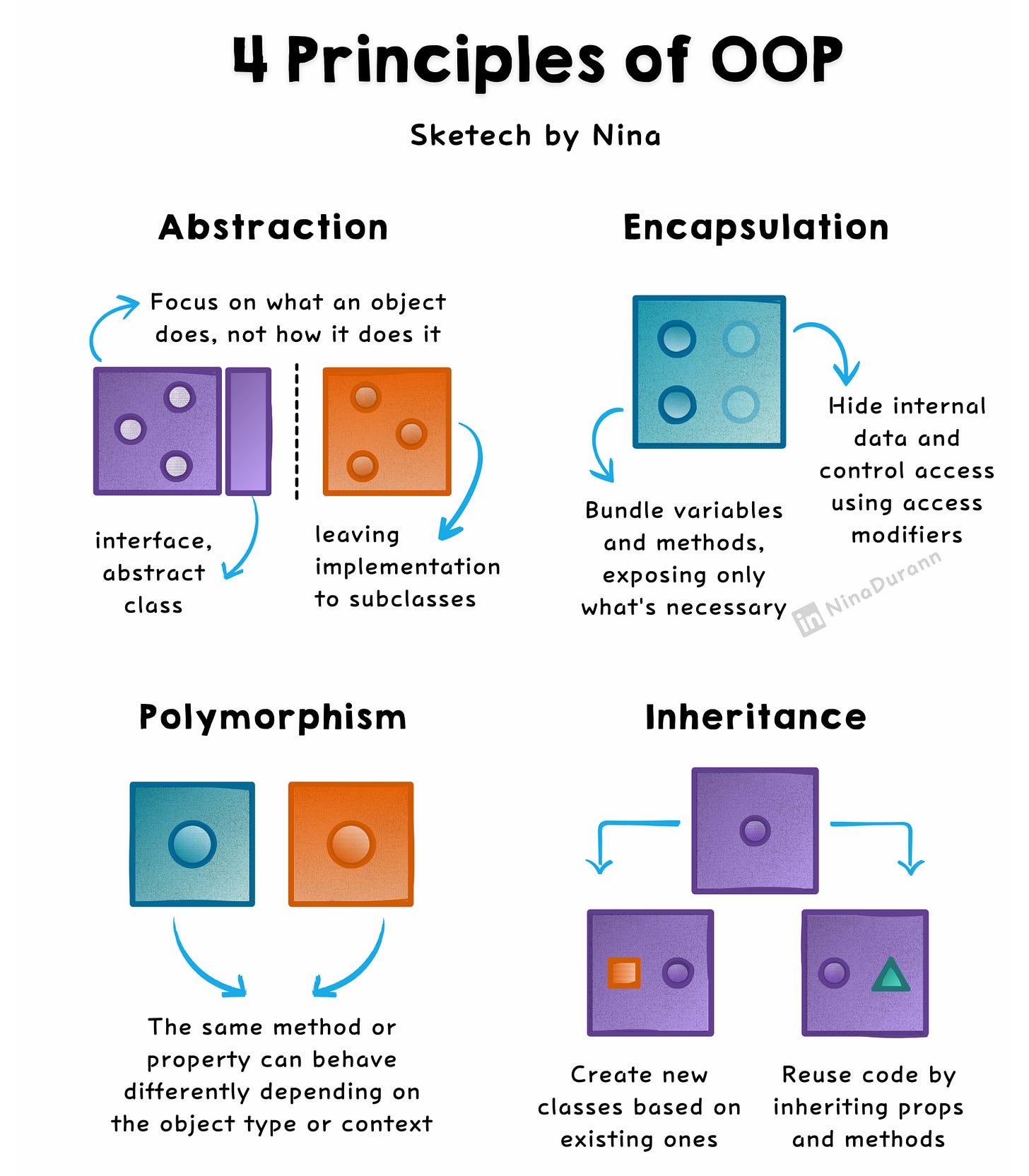
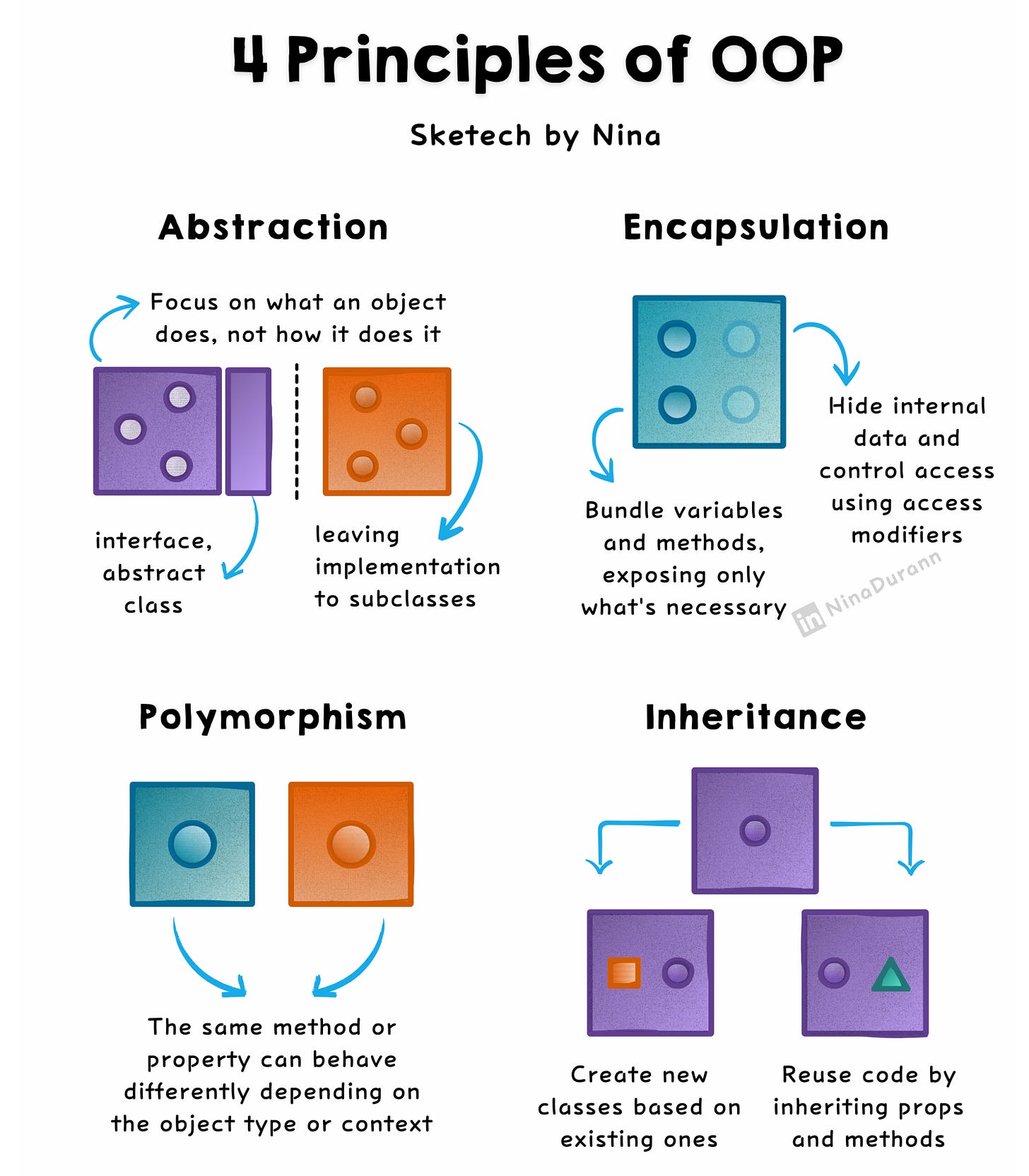
4 OOP Principles Explained
Object-Oriented Programming organizes code around objects, which encapsulate both data and behavior. This paradigm plays a central role in creating modular, scalable, and maintainable systems.
Below is an easy-to-read summary of its four key principles:
Abstraction
Abstraction focuses on what an object does, not how it does it. It hides implementation details and exposes only the essential features, typically using abstract classes or interfaces.
★ Simplify complexity by separating the “what” from the “how.”
An interface PaymentProcessor might define a method processPayment() without detailing the implementation. Classes like CreditCardProcessor or PayPalProcessor implement it differently.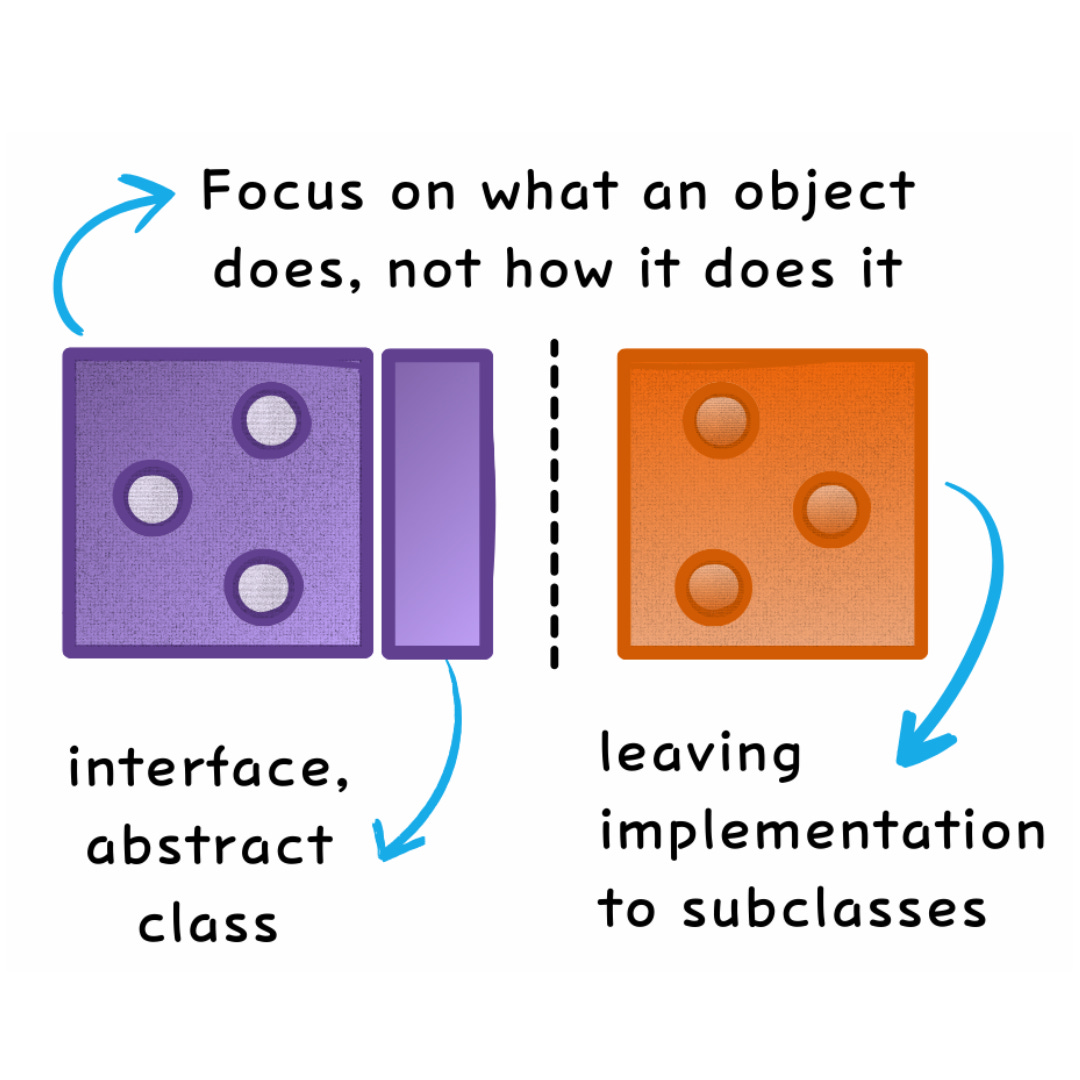
Encapsulation
Encapsulation binds data (attributes) and behavior (methods) within an object. Access is controlled using modifiers like private, public, or protected to protect the object’s internal state.
★ Prevent unwanted interference by exposing only necessary details.
A BankAccount class might have a private balance attribute and allow changes only through controlled methods like deposit() or withdraw().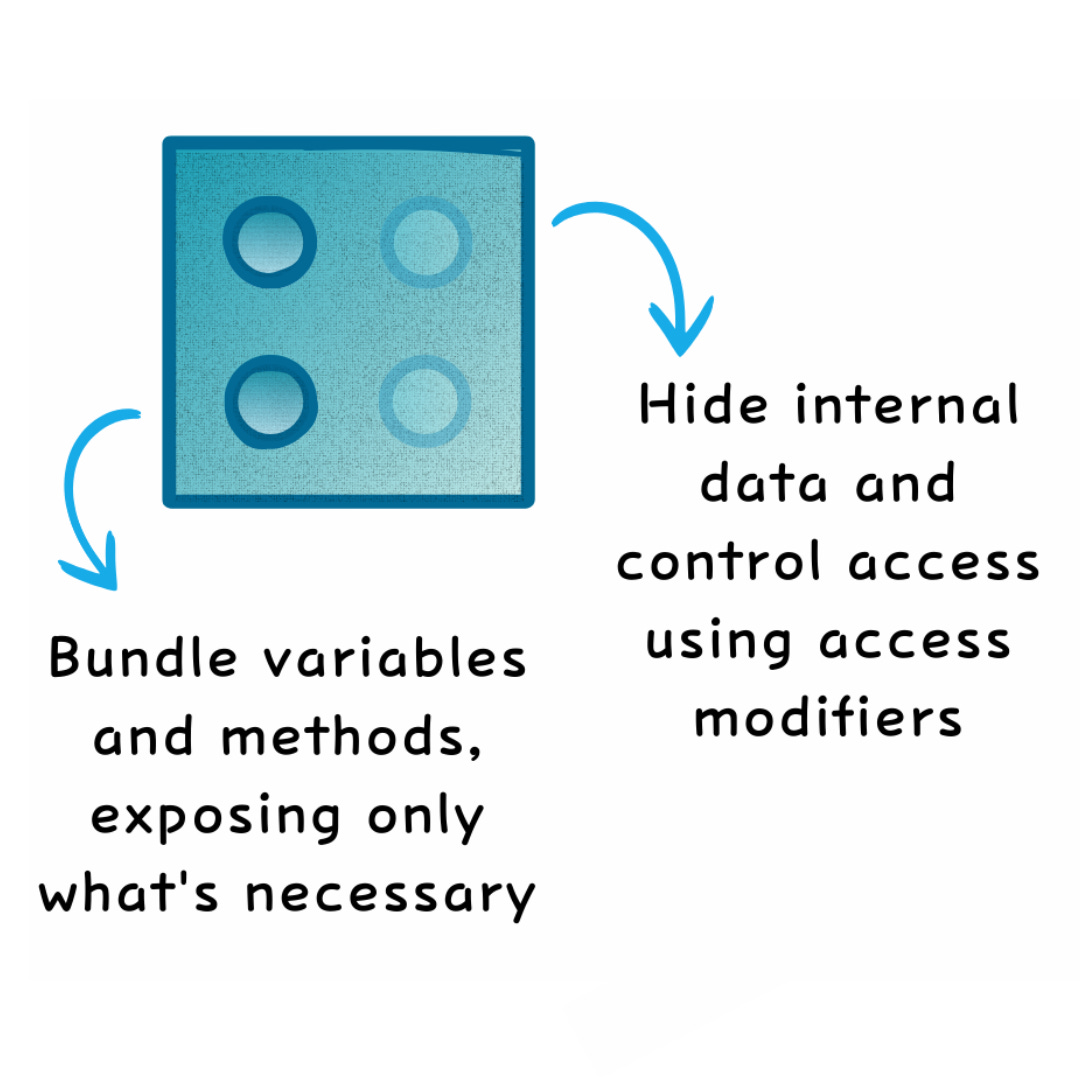
Polymorphism
Polymorphism allows a single method or interface to exhibit different behaviors depending on the object. This can be achieved through:
-
Method Overloading (compile-time polymorphism): Same method name, different parameters.
-
Method Overriding (runtime polymorphism): Same method, different behavior in subclasses.
★ Adapt functionality dynamically.
A Shape class might define a draw() method. Subclasses like Circle and Rectangle override it, allowing the same method to produce different outcomes.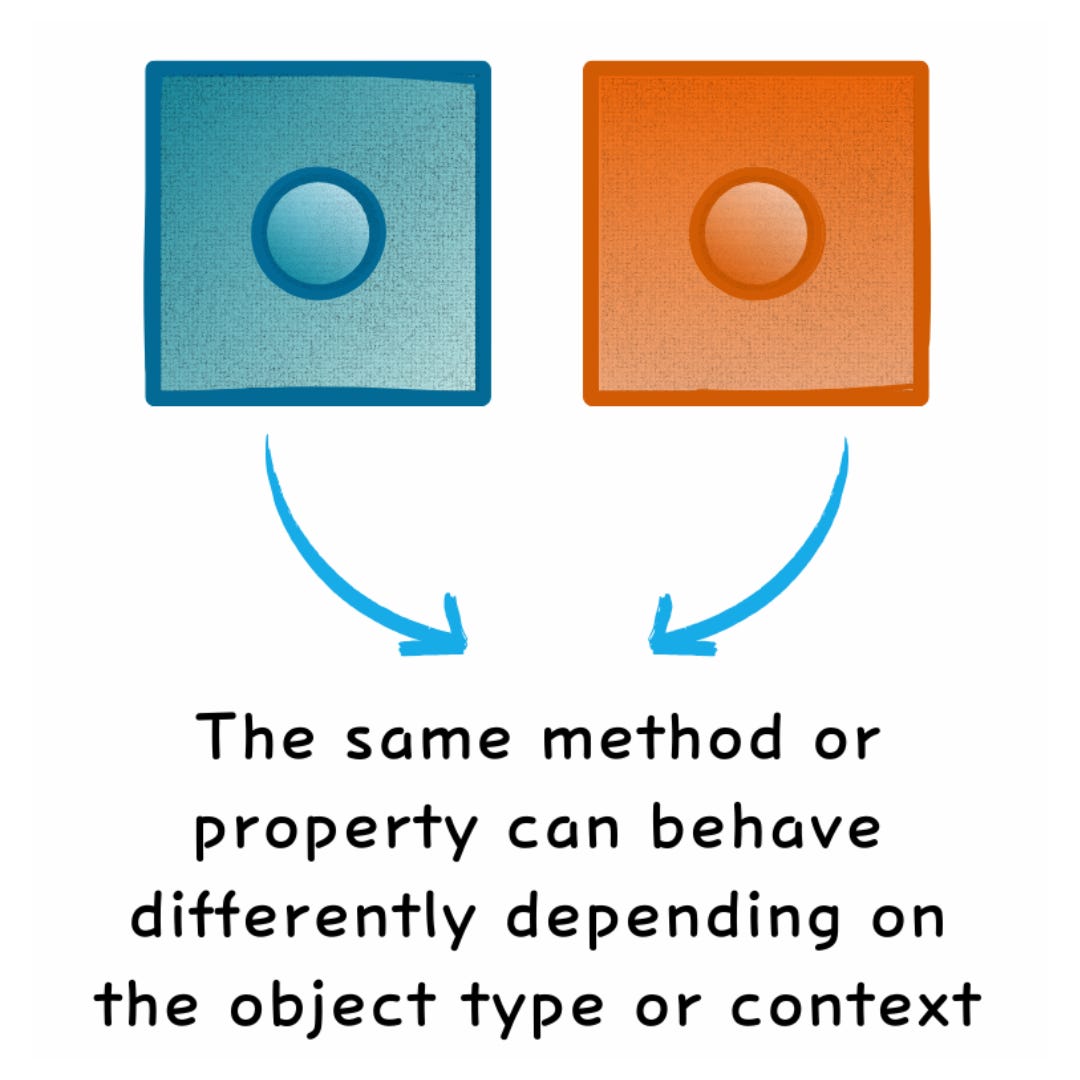
Inheritance
Inheritance enables new classes (subclasses) to derive from existing ones (base classes), reusing code while adding or modifying functionality.
★ Reuse and extend existing code.
A Vehicle class might define properties like speed and methods like startEngine(). A Car class can inherit these while adding specific attributes like fuelType.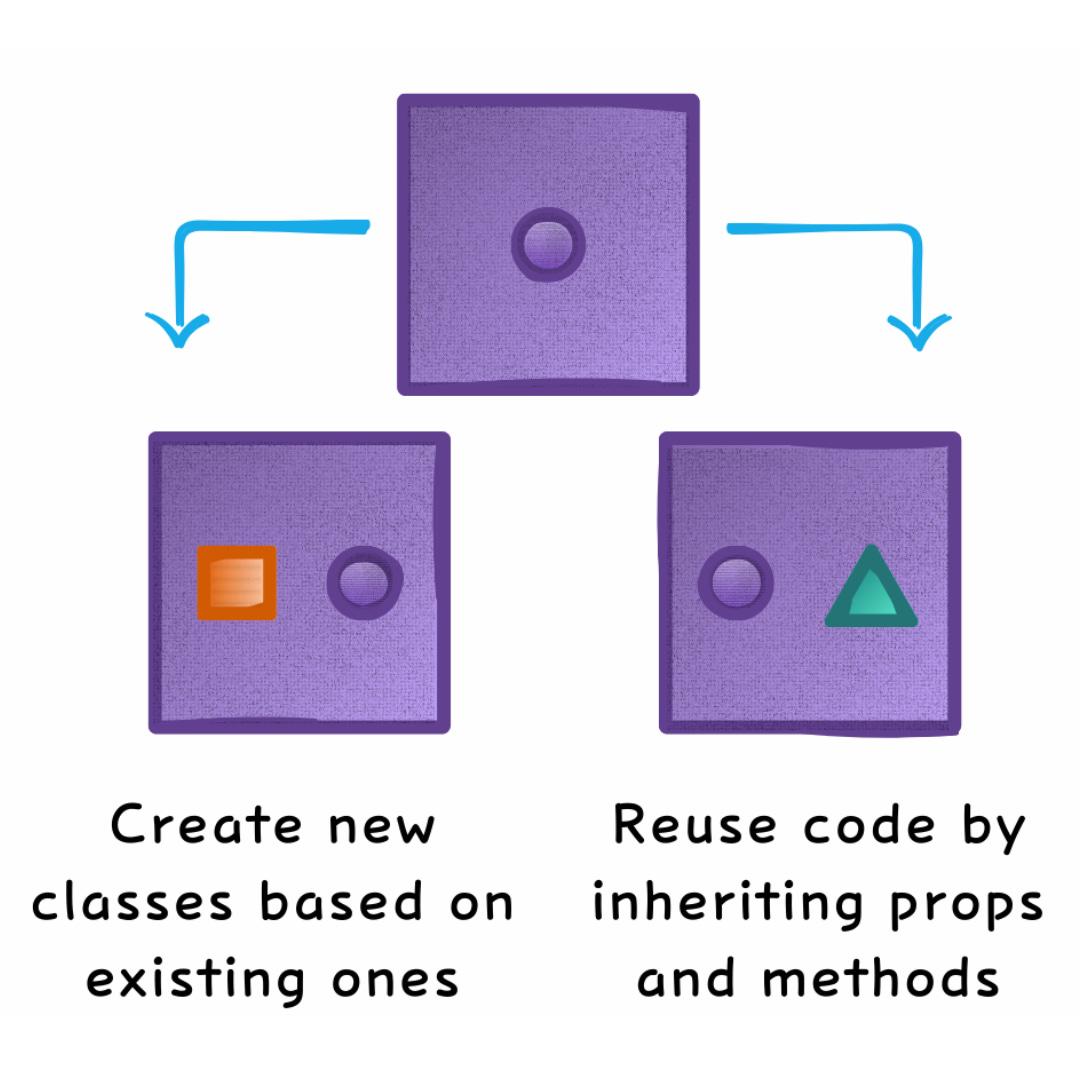
Why OOP Matters
OOP provides a structured framework to tackle complex systems. By adhering to its principles:
-
Code becomes easier to understand and modify.
-
Projects are more scalable and maintainable.
-
It supports the creation of reusable and flexible components.
OOP provides a clear and structured way to build scalable and maintainable systems. Its principles make code easier to understand, modify, and reuse, forming the backbone of modern software development in languages like Java, Python, and C#.
Check out the LinkedIn post that inspired this
Breaking Down Git Branching for Developers
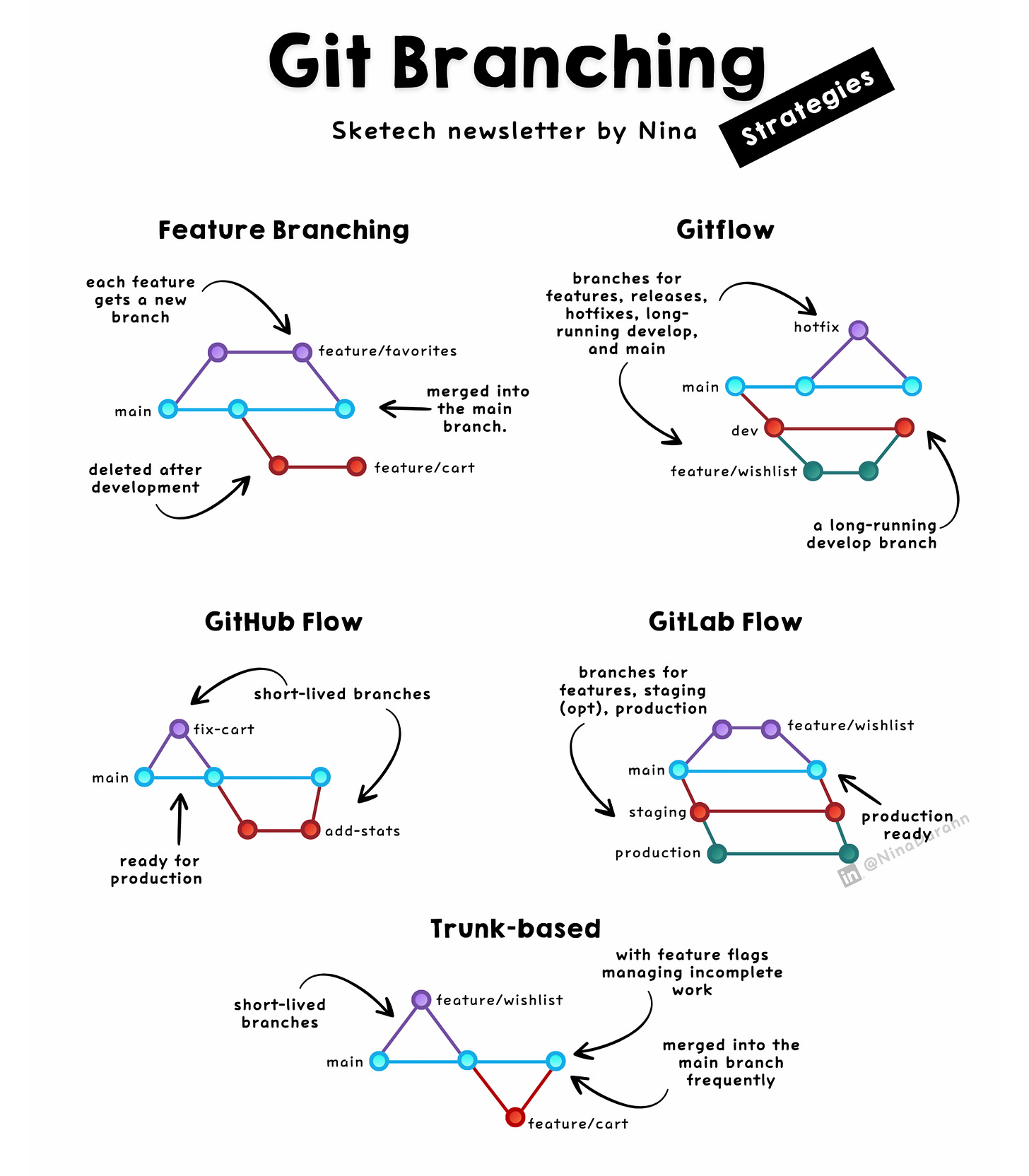
Choosing the right branching strategy can significantly improve code management and teamwork. Here’s a breakdown of five widely-used strategies, tailored to fit different project needs and team dynamics:
1. Feature Branching
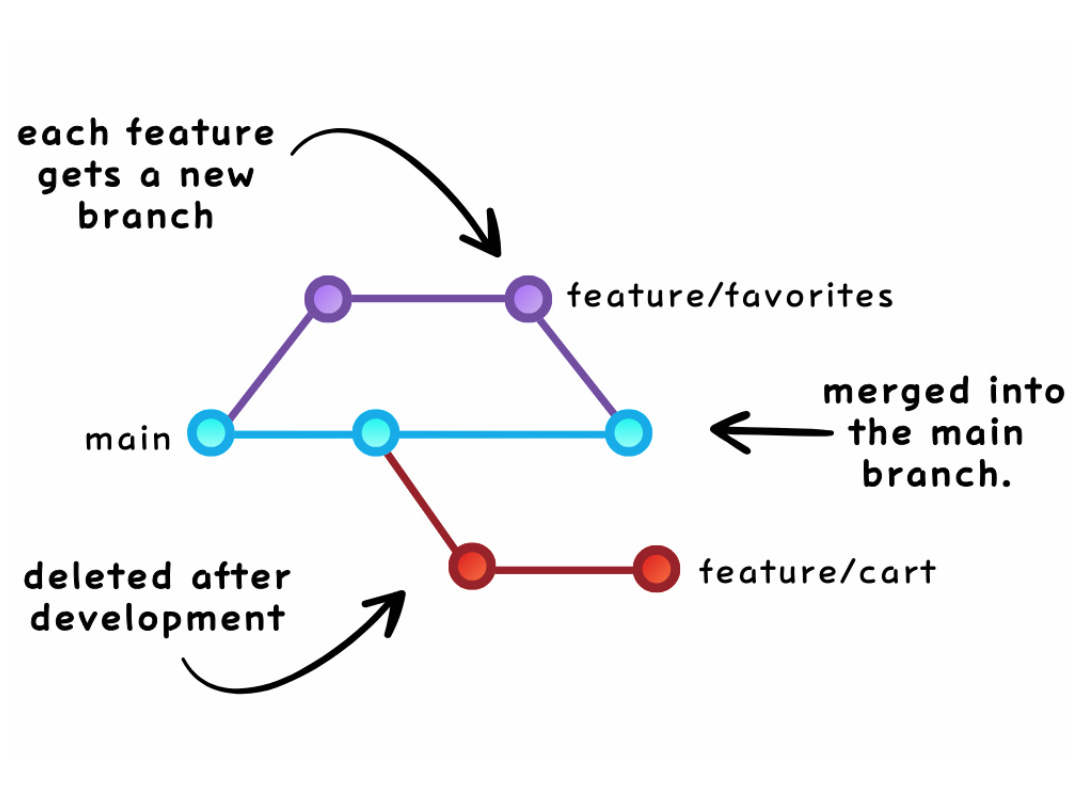
Main branch → Feature branchesCreate a dedicated branch for each feature.
Merge into the main branch after completion and testing.
Best For:Small teams, isolated feature development, and maintaining a stable main branch.
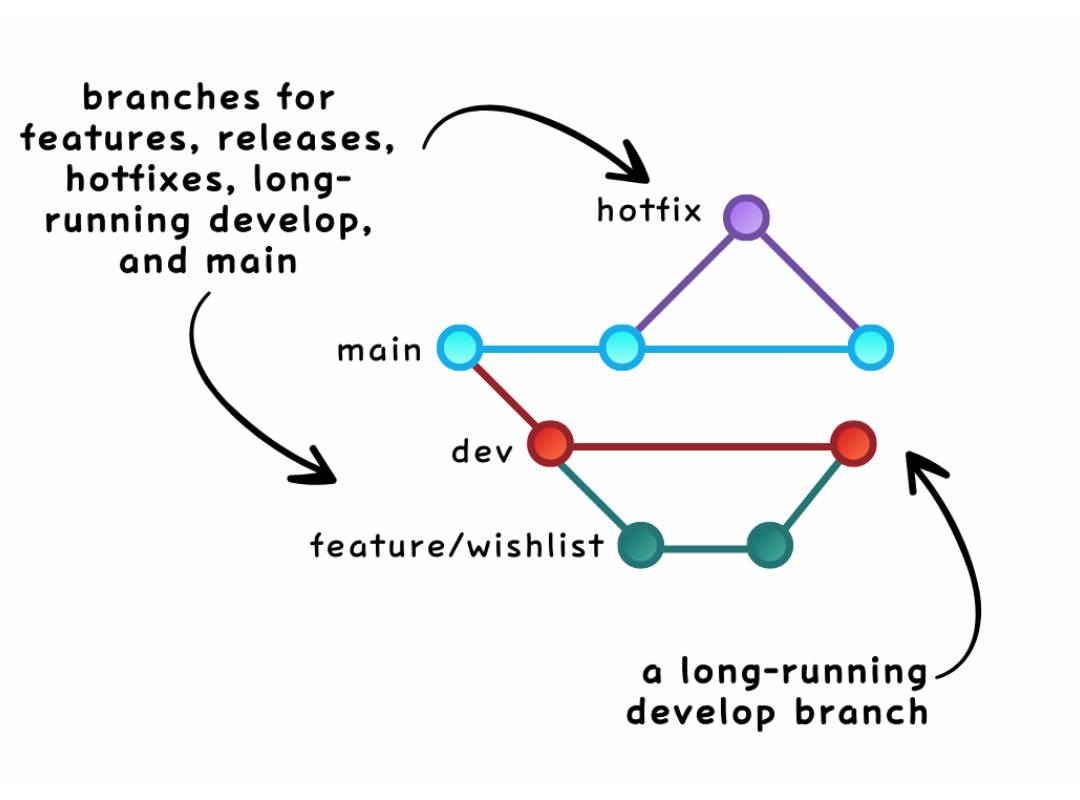
2. Gitflow
main → develop → feature/ → release/ → hotfix/Workflow:
-
developfor ongoing development. -
feature/for new features. -
release/for finalizing releases. -
hotfix/for urgent fixes.
Best For: Large teams, projects with strict version control, and structured release management.
3. GitHub Flow
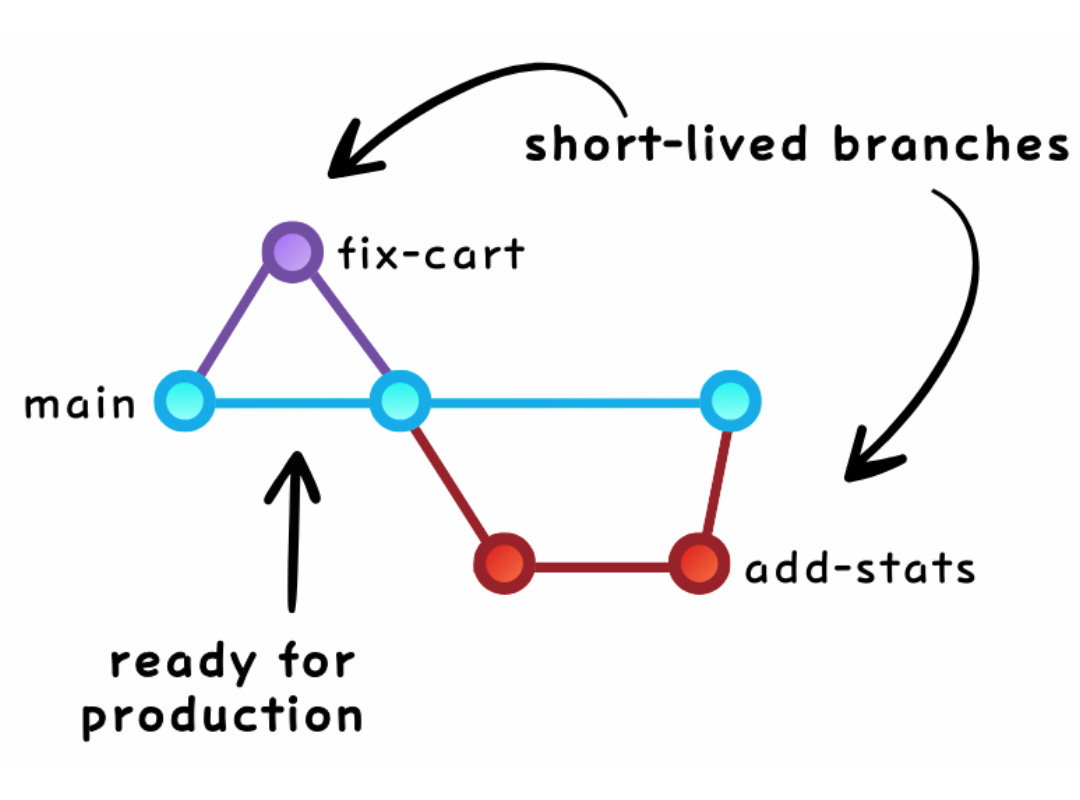
Main branch → Feature/Bug branchesBranches created for every feature or bug fix.
Merge back into the main branch after thorough review and testing.
Best For: Agile teams, frequent deployments, and CI/CD workflows.
4. GitLab Flow
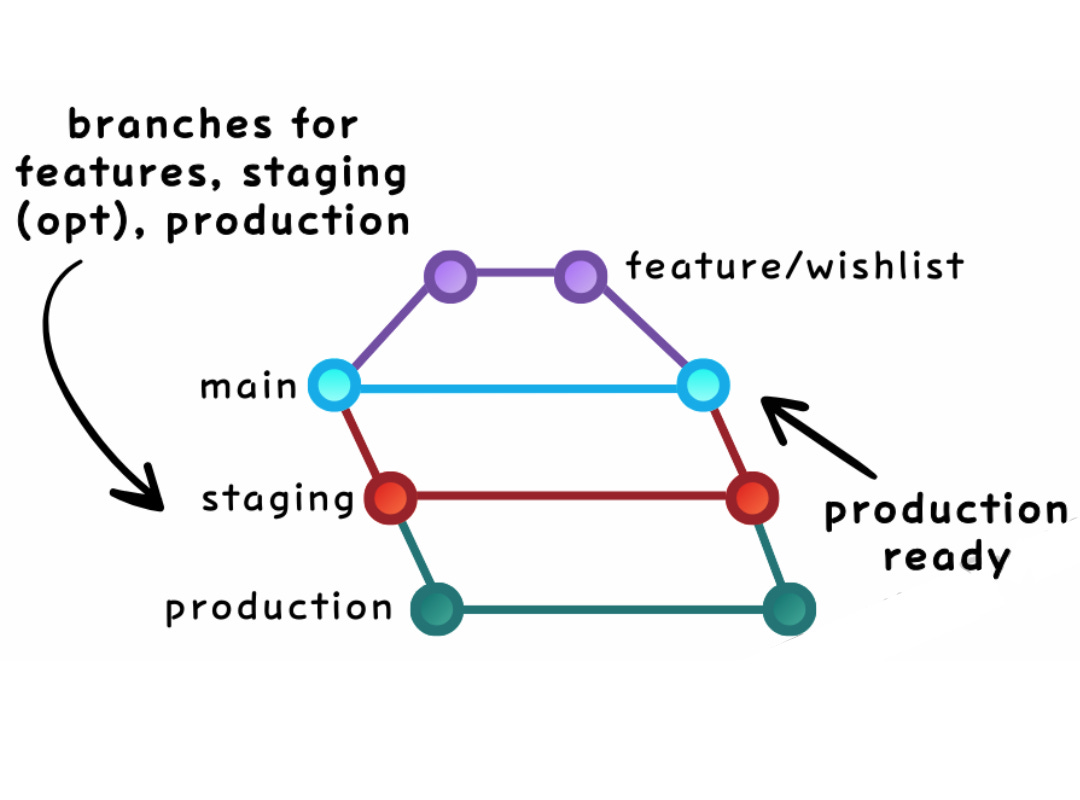
main → feature/ → Staging/Production EnvironmentsFocus on tight CI/CD integration with automated pipelines.
Feature branches are used for development and deployment.
Best For: Teams using GitLab, automated deployments, and seamless integration with CI/CD.
5. Trunk-based Development
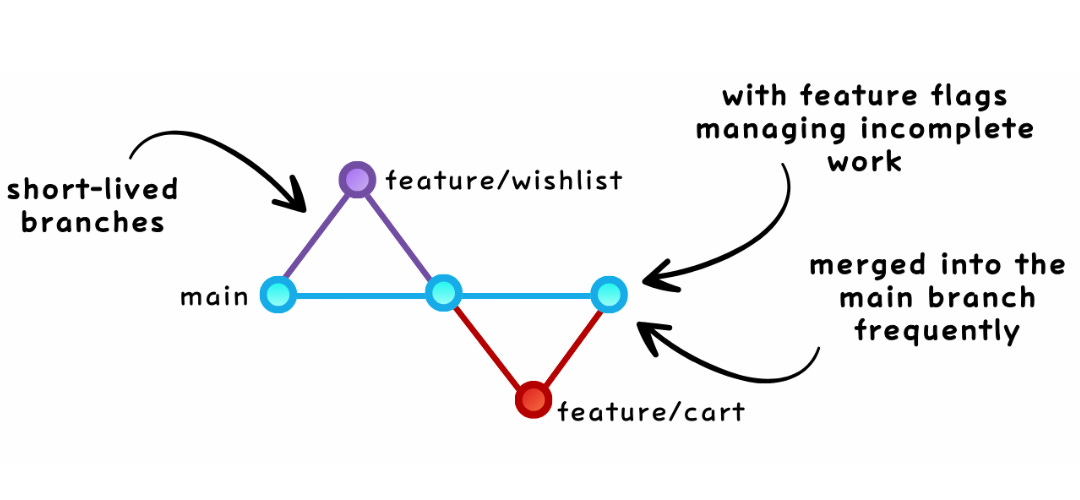
Main branch (trunk) → Short-lived feature branchesDevelopers merge changes frequently (even daily).
Use feature flags for gradual feature rollouts.
Best For: Rapid feedback, incremental development, and continuous integration.
How to Choose the Best Branching Strategy
The right strategy depends on your specific team and project needs:
-
Team size: Larger teams often benefit from structured workflows like Gitflow.
-
Project complexity: Simple projects may lean toward Feature Branching or Trunk-based development.
-
Release frequency: Agile teams prefer GitHub Flow or Trunk-based strategies for faster releases.
-
Deployment process: CI/CD pipelines align well with GitLab Flow.
-
Technical maturity: Advanced teams with robust processes thrive with Trunk-based or GitLab Flow.
There’s no one-size-fits-all strategy. Evaluate your team’s workflow, technical requirements, and goals to find the approach that works best for you.
Read the LinkedIn post here
Let’s connect! Sketech has the Big Pictures you’re missing
Text within this block will maintain its original spacing when published
And that’s a wrap for Sketech Edition #13! This week has been truly special, with so many new subscribers joining us. Your support and enthusiasm mean the world, thank you for being part of this growing community. See you in the next edition!
Nina
Text within this block will maintain its original spacing when published
Sketech Newsletter
Crafted to make concepts unforgettable 🩵
Credit to the Original Article | Explore More of Their Work If You Found This Article Enjoyable.
https://sketechnews.substack.com/p/git-branching-strategies-explained