


Join our community of software engineering leaders and aspirational developers. Always
stay in-the-know by getting the most important news and exclusive content delivered
fresh to your inbox to learn more about at-scale software development.
RESUBSCRIPTION REQUIRED
It seems that you’ve previously unsubscribed from our newsletter
in the past. Click the button below to open the re-subscribe form
in a new tab. When you’re done, simply close that tab and continue
with this form to complete your subscription.
RE-SUBSCRIBE
The New Stack does not sell your information or share it with
unaffiliated third parties. By continuing, you agree to our
Terms of Use and
Privacy Policy.
Welcome and thank you for joining The New Stack community!
Please answer a few simple questions to help us deliver the news and resources you are interested in.
COUNTRY
REQUIRED
Great to meet you!
Tell us a bit about your job so we can cover the topics you find most relevant.
How many employees are in the organization you work with?
REQUIRED
Welcome!
We’re so glad you’re here. You can expect all the best TNS content to arrive
Monday through Friday to keep you on top of the news and at the top of your game.
What’s next?
Check your inbox for a confirmation email where you can adjust your preferences
and even join additional groups.
Follow TNS on your favorite social media networks.
Become a TNS follower on LinkedIn.
Check out the latest featured and trending stories while you wait for your
first TNS newsletter.
As a JavaScript developer, what non-React tools do you use most often?
✓
Angular
0%
✓
Astro
0%
✓
Svelte
0%
✓
Vue.js
0%
✓
Other
0%
✓
I only use React
0%
✓
I don’t use JavaScript
0%
2025-01-19 06:00:27
AlmaLinux 10 Beta Supports Older x86 Chipsets
AlmaLinux 10 comes with a new sudo system role for simplifying config management and Sequoia PGP tools for more advanced encryption.
Jan 19th, 2025 6:00am by
Jack Wallen
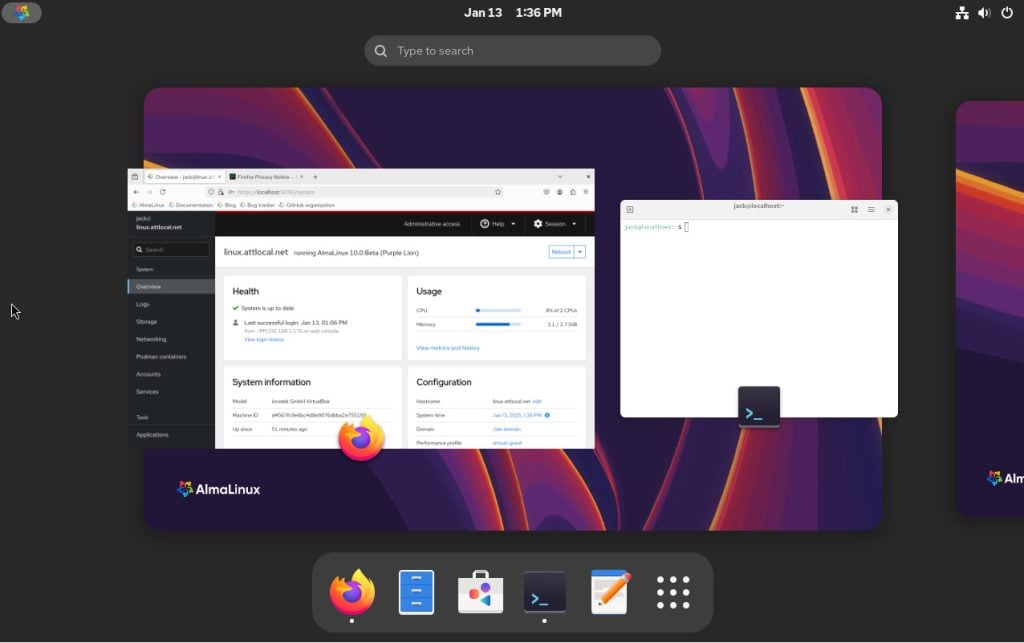
The GNOME Workspaces Overview on AlmaLinux 10.
Once upon a time, it was fairly easy to keep track of the Red Hat Enterprise Linux clones. But then things started to get a bit dicey, which led to some confusion. Take the current state of AlmaLinux.
There’s the regular release, which serves as a drop-in replacement for Red Hat Enterprise Linux. Then there’s Kitten, which is AlmaLinux’s clone of CentOS Stream (aka RHEL’s upstream). Most businesses won’t want to bother with Kitten because they need production-ready OSes. Developers, on the other hand, should consider Kitten as their platform of choice.
If you ever want to keep everything clear, remember this: AlmaLinux Kitten does not use beta releases, as it’s simply a rebuild of CentOS Stream. AlmaLinux 10, however, does use beta releases. But why have a beta of an OS that’s already based on another? Essentially, the AlmaLinux team isn’t trying to create an exact copy of the RHEL code but, rather, a feature-for-feature clone of the experience offered by RHEL.
There’s a big difference.
Older Chipsets
Because of the way AlmaLinux is handling the new releases, the development teams are able to make changes. One of the more important changes they’ve made is by way of support. When Red Hat migrated to x86-64-v3 chip microarchitecture, it stopped supported previous versions. On the other hand, AlmaLinux doesn’t limit support to v3 but also continues with v2 (so users with older hardware don’t get caught up in the same trap as Windows 10 users when trying to migrate to Windows 11).
According to the AlmaLinux changelog, “in AlmaLinux OS 10, we will follow Red Hat’s decision to ship x86-64-v3 optimized binaries by default, but we will also provide additional x86-64-v2 architecture ONLY for older hardware. All third-party packages for RHEL10 will target x86-64-v3, while the x86-64-v2 release of AlmaLinux OS 10 will only be suitable for workloads where using the default OS package set is enough or where users will be able to rebuild any additional packages they require for x86-64-v2 architecture themselves.”
There are other deviations from RHEL, such as re-enabled frame pointers by default, re-enabled SPICE support for both server and client apps, both Firefox and Thunderbird ship as regular RPM packages (as opposed to Flatpak), and several device drivers that were modified to re-add PCI IDs.
For those who aren’t developers, the standard AlmaLinux release is the way to go, and there are plenty of updates, such as Python 3.12, Ruby 3.3, Node.js 22, Perl 5.40, PHP 8.3, Git 2.45, Apache 2.4.62, NGINX 1.26, Varnish Cache 7.4, Squid 6.10, MariaDB 10.11, MySQL 8.4, GCC 14.2, glibc 2.39, binutils 2.41, GDB 14.2, Grafana 10.2.6, Rust Toolset 1.79.0, Go Toolset 1.22 and much more.
Linux Security
As far as security is concerned, AlmaLinux 10 brings one key change to the OS in the form of support for post-quantum cryptography. What this does is ensure the OS remains resilient against a quantum computer’s more sophisticated encryption abilities to address concerns that may not currently be front and center, but as quantum computers become more readily available, the platform will be ready. The new release also includes some important updates to SELinux, such as upgrades to policy modules, tools and utilities that give you more granular control over security configurations. Policies will be easier to maintain and more consistently enforced.
There’s the new sudo system role for simplifying config management for administrations as well as the addition of Sequoia PGP tools (sq and sqv) for more advanced encryption.
I installed AlmaLinux 10 beta as a virtual machine to see how it performed and was not at all surprised to find that it was nearly flawless. One of the first things I always do with RHEL clones is enable Cockpit (sudo systemctl enable cockpit.socket) to see what’s what, and everything looks very familiar.
For those who like their servers with a GUI, AlmaLinux ships with GNOME 47.alpha and only includes a bare minimum of user-facing applications (Firefox, GNOME Software, GNOME Text Editor, Calculator, Tour, Camera, Clock, System Monitor, Settings, GNOME Terminal, Disks, Image View, a font manager, but not much more. You won’t find the usual GNOME apps, such as Weather and Maps, nor will you find a single media player in the Application Overview.
Remember, this is a server OS, so that shouldn’t come as any surprise.
The only gotcha I encountered with AlmaLinux 10 beta was that the mcelog service failed to start. What is this? Mcelog is the user-space backend service for logging machine-check errors reported by the hardware to the kernel. According to the service logs, this happened because my CPU is unsupported (AMD Ryzen). The fix for this was simple:
Disable the mcelog from within the Cockpit services tab, and then enable rasdaemon with:
sudo systemctl enable –now rasdaemon
|
sudo systemctl enable –now rasdaemon |
Errors gone.
Other than that, and what seemed like a considerable bump in performance, using AlmaLinux 10 beta was just as smooth and painless as using any release prior. That’s not to say you should use AlmaLinux 10 beta in production. Quite the opposite. But I would highly recommend that you download the beta version and start becoming familiar with the new security enhancements before it’s time to deploy the release. You certainly don’t want to have to spend time getting up to speed with the new post-quantum cryptography or the new sudo system role.
If you’re interested in test-driving AlmaLinux 10 beta, you can download an ISO from the official download page.
[embedded content]
TRENDING STORIES
YOUTUBE.COM/THENEWSTACK
Tech moves fast, don’t miss an episode. Subscribe to our YouTube
channel to stream all our podcasts, interviews, demos, and more.
SUBSCRIBE
Group
Created with Sketch.

Jack Wallen is what happens when a Gen Xer mind-melds with present-day snark. Jack is a seeker of truth and a writer of words with a quantum mechanical pencil and a disjointed beat of sound and soul. Although he resides…
Read more from Jack Wallen
SHARE THIS STORY
TRENDING STORIES
TNS DAILY NEWSLETTER
Receive a free roundup of the most recent TNS articles in your inbox each day.
Credit to the Original Article | Explore More of Their Work If You Found This Article Enjoyable.
https://thenewstack.io/almalinux-10-beta-supports-older-x86-chipsets/