


Join our community of software engineering leaders and aspirational developers. Always
stay in-the-know by getting the most important news and exclusive content delivered
fresh to your inbox to learn more about at-scale software development.
RESUBSCRIPTION REQUIRED
It seems that you’ve previously unsubscribed from our newsletter
in the past. Click the button below to open the re-subscribe form
in a new tab. When you’re done, simply close that tab and continue
with this form to complete your subscription.
RE-SUBSCRIBE
The New Stack does not sell your information or share it with
unaffiliated third parties. By continuing, you agree to our
Terms of Use and
Privacy Policy.
Welcome and thank you for joining The New Stack community!
Please answer a few simple questions to help us deliver the news and resources you are interested in.
COUNTRY
REQUIRED
Great to meet you!
Tell us a bit about your job so we can cover the topics you find most relevant.
How many employees are in the organization you work with?
REQUIRED
Welcome!
We’re so glad you’re here. You can expect all the best TNS content to arrive
Monday through Friday to keep you on top of the news and at the top of your game.
What’s next?
Check your inbox for a confirmation email where you can adjust your preferences
and even join additional groups.
Follow TNS on your favorite social media networks.
Become a TNS follower on LinkedIn.
Check out the latest featured and trending stories while you wait for your
first TNS newsletter.
As a JavaScript developer, what non-React tools do you use most often?
✓
Angular
0%
✓
Astro
0%
✓
Svelte
0%
✓
Vue.js
0%
✓
Other
0%
✓
I only use React
0%
✓
I don’t use JavaScript
0%
2025-01-22 10:30:19
Make a Scalable CI/CD Pipeline for Kubernetes With GitHub and Argo CD
sponsor-andela,sponsored-post-contributed,tutorial,
Automate the build, test and deployment processes for a Kubernetes-based Node.js REST API, and take your development workflow to the next level.
Jan 22nd, 2025 10:30am by
Tinega Onchari

Featured image by Rachael Ledford on Unsplash.
Modern software development isn’t just about writing code; it’s about meeting the demands of speed, scalability and reliability in a rapidly changing technological landscape. Users expect frequent updates and seamless performance, and organizations are under pressure to deliver all this without compromising stability.
That’s why CI/CD pipelines have become essential. By automating and streamlining development, testing and deployment, these pipelines not only speed up delivery cycles but also minimize manual errors and boost overall software quality.
If you’re looking to stay ahead, this tutorial is your roadmap to mastering CI/CD in a way that’s practical and highly relevant for today’s cloud native environments. I’ll walk you through building your own scalable CI/CD pipeline using GitHub Actions for continuous integration and Argo CD for continuous deployment.
With this guide, you’ll create an end-to-end solution to automate the build, test and deployment processes for a real-world use case: a Kubernetes-based Node.js REST API that returns the current time. By the end, you won’t just understand CI/CD pipelines; you’ll know how to implement them effectively and take your development workflow to the next level.
Setting Up the Environment
Before diving into the implementation, ensure you have the following:
- Kubernetes cluster: A working Kubernetes cluster (e.g., Minikube, AKS EKS or Google GKE).
- GitHub repository: A repository containing your application’s source code.
- Container registry: Access to a Docker container registry (e.g., Docker Hub or AWS ECR).
- Command-line interface (CLI) tools:
kubectl, Docker and Argo CD CLI installed.
This tutorial uses the following real-world example:
- Application: A Node.js REST API that returns the current time. This application was chosen for its simplicity and clarity, making it an ideal example for demonstrating CI/CD workflows. Its lightweight structure allows you to focus on pipeline automation without the complexities of managing a large codebase, while still being representative of real-world deployment scenarios.
- Repository: kubernetes-ci-cd-demo
- Container Registry: Docker Hub (
<Your-dockerhub-username>/current-time-api).
To follow along, start by forking the repository and cloning it to your local computer. This will allow you to make changes to the code and push them back to your GitHub account.
Implementing CI With GitHub Actions
Step 1: GitHub Workflow File
The GitHub Actions workflow is defined within the .github/workflows/ directory of your repository. This directory contains the CI configuration files. Inside this directory, you typically create a file named ci-pipeline.yml to define your CI pipeline.
When changes are pushed to the repository, it triggers the GitHub Actions workflow. The workflow consists of a job called build-and-push. This job performs the following tasks:
- Check out code: It checks out the latest version of the code from the repository.
- Set up Node.js environment: It configures the Node.js environment required to run the project.
- Install dependencies: It installs all necessary project dependencies.
- Run tests: It executes tests to ensure that the code is running correctly and without errors.
- Log Into Docker hub: It logs into Docker Hub to allow for image building and pushing.
- Build and push Docker image: It builds a Docker image for the current application (in this case, a time API) and pushes the image to Docker Hub.
This Docker image will later be deployed to a Kubernetes cluster, which is managed by an Argo CD continuous deployment pipeline.
Step 2: Define the CI Pipeline
Here are the contents of the workflow:
Integrating Argo CD for Continuous Deployment
Step 1: Install Argo CD in Your Kubernetes Cluster
Argo CD is a declarative, GitOps continuous delivery tool for Kubernetes. It enables automated deployments and version control of your Kubernetes manifests by syncing them with your Git repository. Installing Argo CD gives you a powerful platform for managing and automating application rollouts and lifecycles within your Kubernetes cluster. To begin, execute the following commands:
To verify that Argo CD was successfully installed on your Kubernetes cluster, run the kubectl command:
kubectl get all -n argocd
|
kubectl get all -n argocd |
The command will display all the resources in the argocd namespace. Here is an example of the results.
Step 2: Access the Argo CD User Interface (UI)
Now that you have Argo CD installed, it’s time to expose the Argo CD UI so that you can access it through the web. To do this, run the following kubectl command:
kubectl port-forward svc/argocd-server -n argocd 8080:443
|
kubectl port-forward svc/argocd-server -n argocd 8080:443 |
You should see the following on the terminal. You must keep this terminal running continuously to serve the site.
Access the Argo CD UI using the URL provided for your environment (https://127.0.0.1:8080 in the example above). Note: Your access URL may be different from this, depending on your specific setup and configuration. Make sure to use the correct URL provided for your environment.
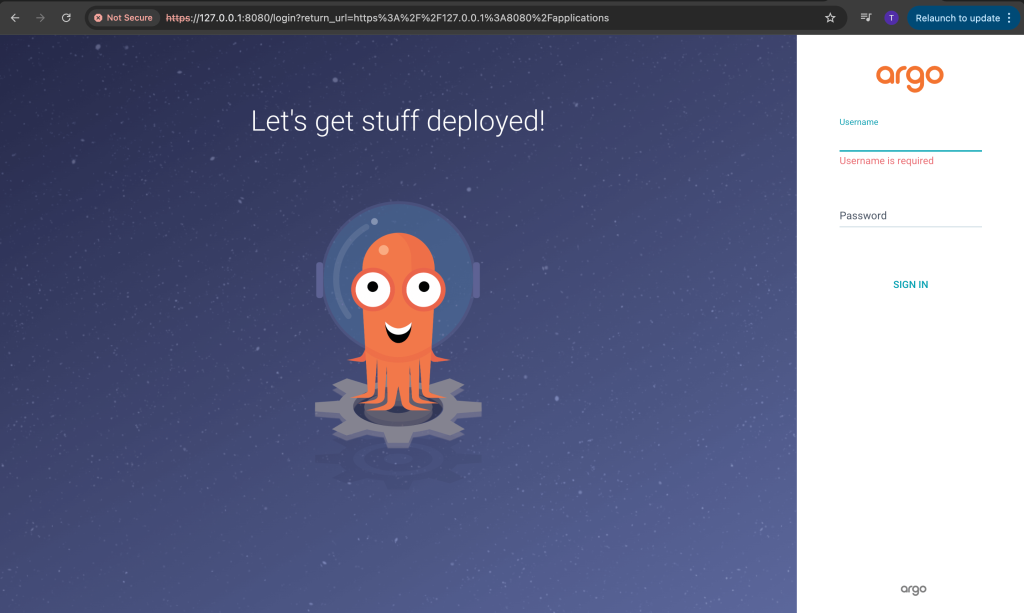
This will be the first page you see when you open the URL in your browser.
Step 3: Configure Argo CD
1. Log in to Argo CD:
After launching the Argo CD UI, the next step is to log in for the first time. The default username in Argo CD is admin. To retrieve the password for the admin user, you can run the following command. Ensure that you have the Argo CD CLI installed on your computer before executing this command.
argocd admin initial-password -n argocd
|
argocd admin initial-password -n argocd |
Once you have the password and admin username, you can log in to the Argo CD UI. After logging in, it is recommended to change the default password to one that is easier for you to remember.
2. Add Your GitHub Repository to Argo CD:
The next step is to add your GitHub repository to Argo CD. You can configure it either through the Argo CD CLI or directly via the web UI. I will guide you through the process using the web UI.
- Navigate to the Settings section in Argo CD.
- Under the Repositories tab, you will find options to add a new repository.
- Here, you can configure your GitHub repository by providing the necessary details.
This is what the Repositories section looks like in the Argo CD UI.

If the setup is successful, you should see a green check mark next to your GitHub repository, indicating that it has been connected successfully. If there is an issue, you will see a connection failure error message, indicating that the GitHub repository failed to connect.
The next optional step at this stage is the cluster configuration. By default, the cluster where Argo CD is installed is automatically configured during installation. Any additional Kubernetes clusters should be added through the Cluster Configuration section in the UI.
Keep in mind that most of these configurations can also be done using the Argo CD CLI, so you can choose to use either the CLI or the web UI — both options achieve the same goal.
Step 4: Create an Application in Argo CD
Define an application in a YAML file. This application definition serves as the bridge between your GitHub repository and your Kubernetes cluster within the Argo CD workflow. It tells Argo CD what to deploy, where to deploy it and which configurations to use. The application YAML specifies the repository URL, branch and path for the Kubernetes manifests, as well as the destination cluster and namespace. This ensures that your deployment process is automated and repeatable. Here’s the YAML definition:
To create your first application on the Argo CD platform, use the kubectl apply command at the end of this step. Before running the command, make sure to update the repoURL and server values to match your correct GitHub repository URL and the correct cluster URL.
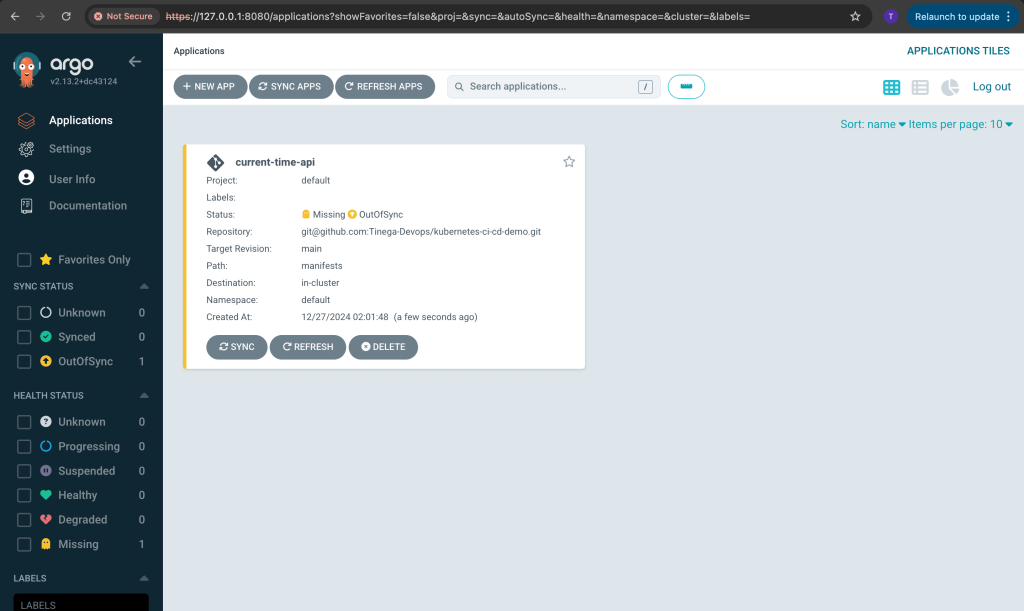
This command will create the application on Argo CD. Ensure that the repository URL points to your GitHub repository, and the server URL corresponds to the Kubernetes cluster that you want the application to deploy.
kubectl apply -f app.yaml
|
kubectl apply -f app.yaml |
Step 5: Deploy the Node.js REST API
The last step is pushing the sample Kubernetes manifest to your repository.
This manifest is a YAML configuration file that defines the Kubernetes resources necessary to deploy your application. It specifies a Deployment and outlines the desired state for your pods, such as the number of replicas, container images and port configurations.
By pushing this file to your repository, you enable Argo CD to monitor the repository for changes and automatically deploy or update your application based on the latest configurations. Here’s the example manifest:
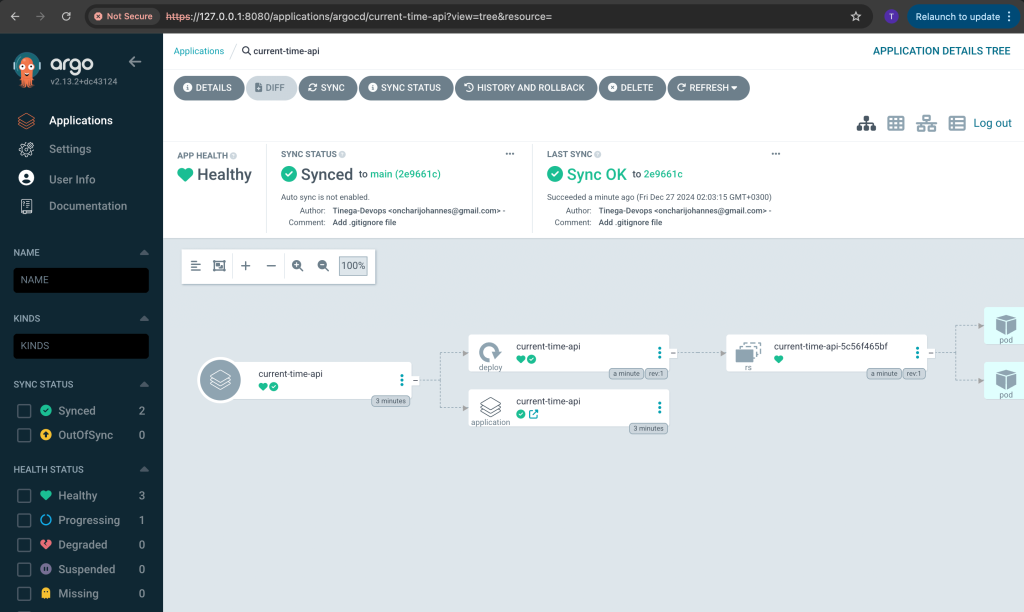
Argo CD will automatically detect the changes and deploy the application. Here is an example of how the application looks.
Best Practices for CI/CD With Kubernetes
By leveraging GitHub Actions for CI and Argo CD for CD, you’ve built a robust, scalable pipeline tailored for Kubernetes deployments. This setup streamlines your development process, allowing for faster iterations without sacrificing reliability. The Node.js REST API application serves as a practical example of how this pipeline can be applied in real-world projects.
Here are some best practices for doing CI/CD with Kubernetes:
- Secrets management: Use tools like HashiCorp Vault or Kubernetes Secrets to manage sensitive information securely. HashiCorp Vault provides robust methods for securing, storing and tightly controlling access to secrets such as API keys, passwords and certificates. Kubernetes Secrets, on the other hand, allow you to store and manage sensitive information directly within the Kubernetes ecosystem. Integrating these tools into your CI/CD pipeline ensures that sensitive data is protected throughout the pipeline’s lifecycle. For example, you can use GitHub Actions to reference these secrets securely without hardcoding them into your repository. This approach minimizes risks and improves compliance with security best practices.
- Monitoring: Implement observability with tools like Prometheus and Grafana to monitor your pipeline.
- Testing: Include unit tests and integration tests in your CI pipeline.
- Rollback strategies: Use Argo CD’s built-in rollback features to handle failed deployments.
Conclusion
From here, you can take it even further. Consider exploring advanced techniques like blue-green deployments or canary releases to push your pipeline’s capabilities to the next level.
To explore how CI/CD tools such as GitHub can transform your projects, read Andela’s step-by-step guide Deploying React on AWS Amplify with Terraform, and bring your seamless cloud-native applications to life.
TRENDING STORIES
YOUTUBE.COM/THENEWSTACK
Tech moves fast, don’t miss an episode. Subscribe to our YouTube
channel to stream all our podcasts, interviews, demos, and more.
SUBSCRIBE
Group
Created with Sketch.

Tinega is a Senior DevOps Engineer and a technologist for Andela, a private global marketplace for tech talent. Tinega began his tech career in 2018 after completing the Google Africa Developer Scholarship, Andela’s learning program in partnership with Google. Tinega…
Read more from Tinega Onchari
TNS owner Insight Partners is an investor in: Docker.
SHARE THIS STORY
TRENDING STORIES
TNS DAILY NEWSLETTER
Receive a free roundup of the most recent TNS articles in your inbox each day.
Credit to the Original Article | Explore More of Their Work If You Found This Article Enjoyable.
https://thenewstack.io/make-a-scalable-ci-cd-pipeline-for-kubernetes-with-github-and-argo-cd/