

powered by
LanguageTool
LanguageTool is now available on LibreOffice, a free office suite used by millions worldwide. We’ll show you how to enable LanguageTool on this powerful program.

Disclaimer
This plug-in for LibreOffice comes from the LanguageTool community and is therefore not official. When installing on macOS, the screenshots as well as the individual steps may differ slightly.
At this point we would like to thank the developers on behalf of LanguageTool for the development and provision of the plug-in.
LanguageTool & LibreOffice
This post will go over:
Please note that you will need LibreOffice version 7.4 or higher.
2. Go to LanguageTool Server Setting
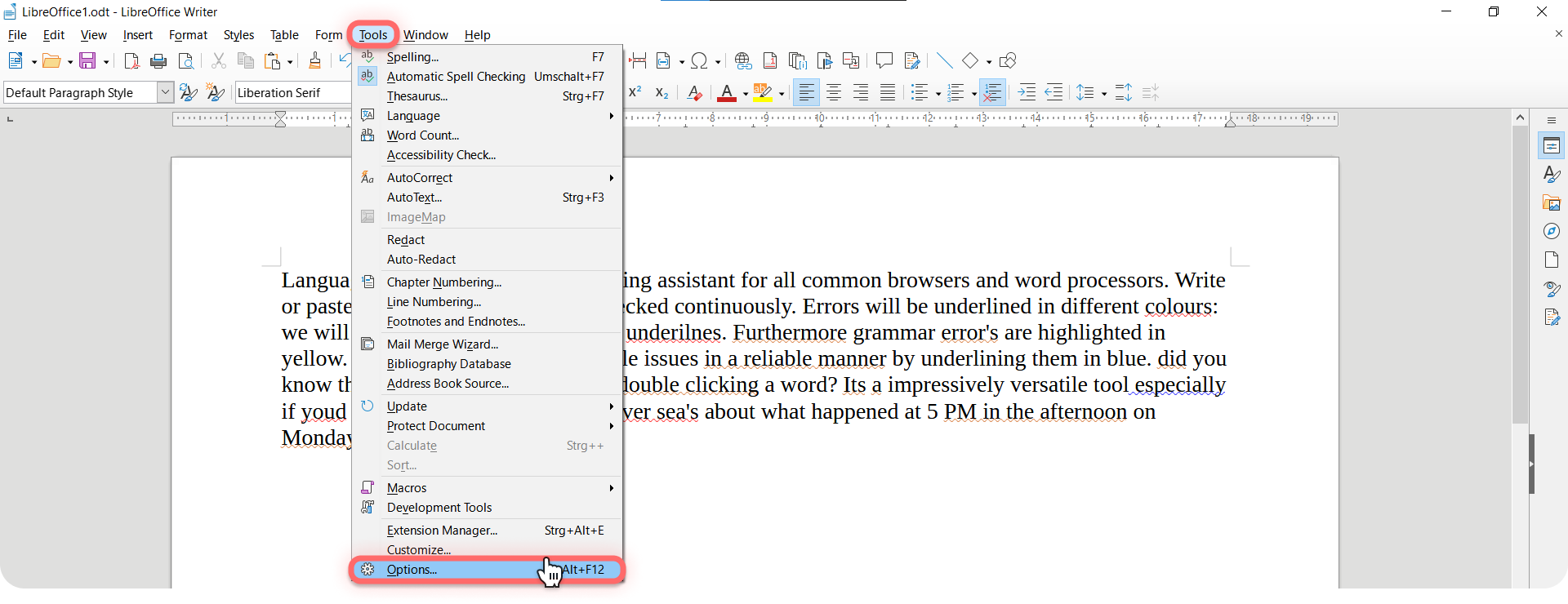
Get here by clicking on Tools → Options → Settings.
Mac Users: Please Be Aware
The installation process differs slightly when using a Mac. Instead of clicking Tools and then Options, you must click on Preferences under LibreOffice. Once there, click on LanguageTool Server Settings on the left-hand side, and continue with the following steps.
3. Type in your data.
There are different options you can type:
- Option A: If you use the free version of LanguageTool, copy and paste https://api.languagetool.org/v2 in “Base URL.” Leave the other two text fields blank.
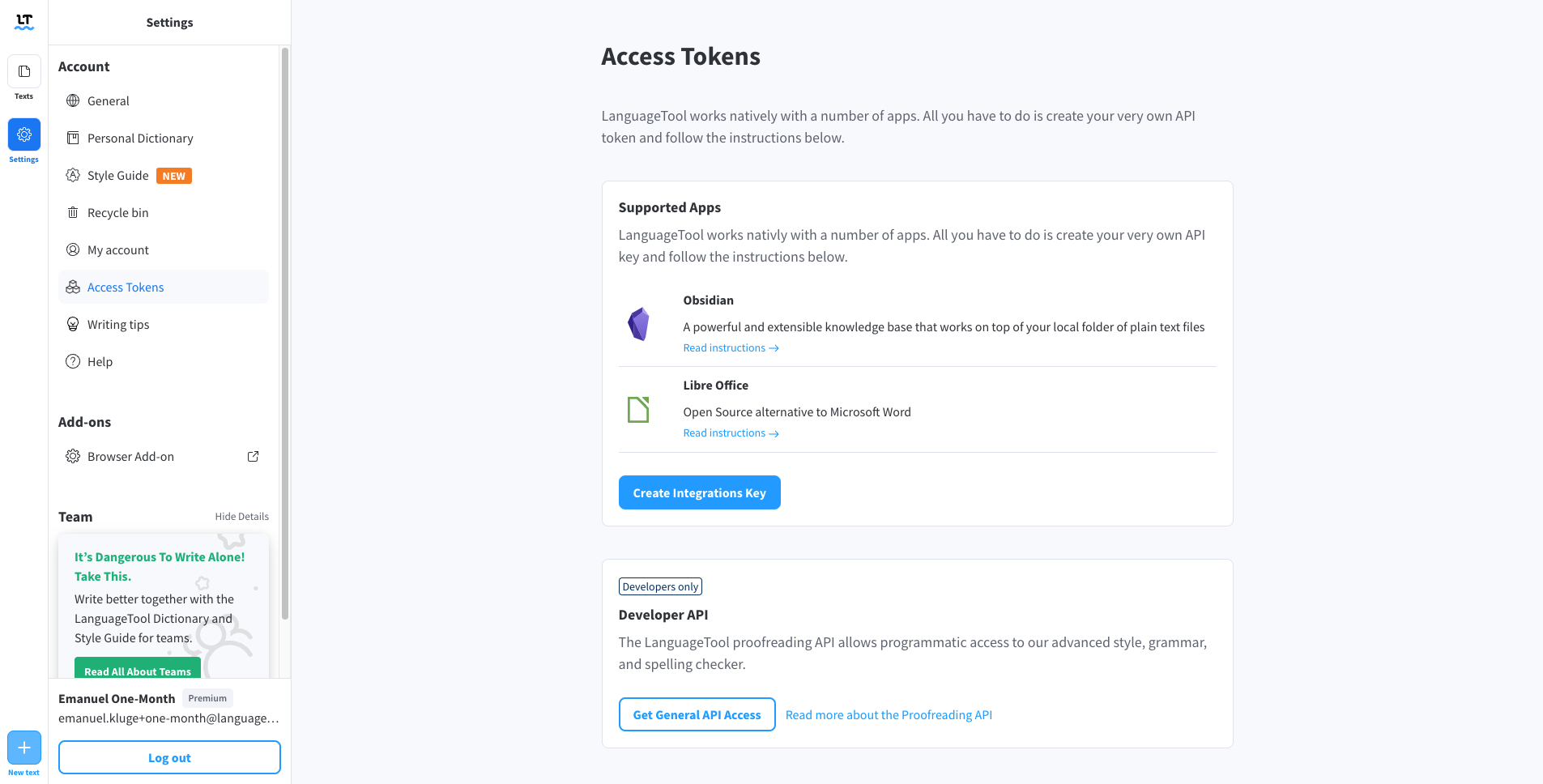
- Option B: If you have a LanguageTool Premium account, copy and paste https://api.languagetoolplus.com/v2 in “Base URL,” write your email address, and type in the API key. You can generate this yourself by clicking on “Access token” in the settings of the LanguageTool Editor. There you will find the two options for Obsidian and LibreOffice.
- Option C: If you have set up a local server, copy and paste http://localhost:8081/v2 in “Base URL.”
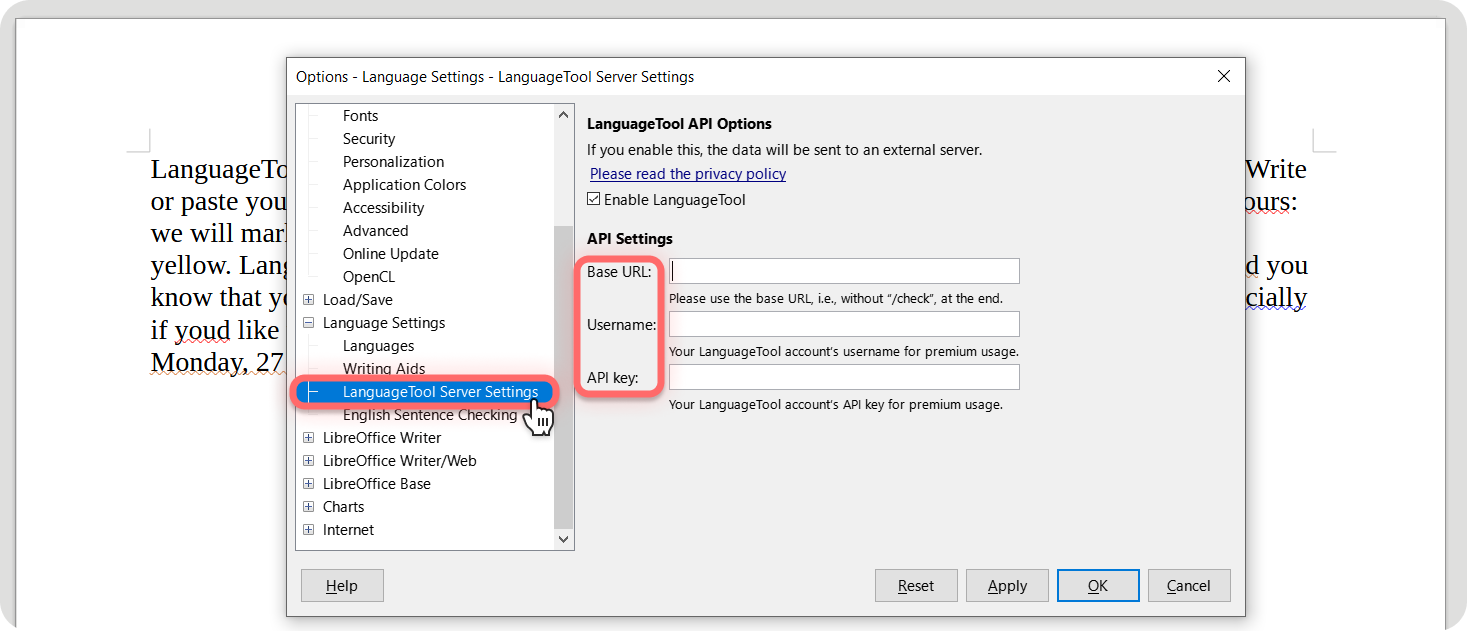
4. Click “OK” and Reopen Your Settings.
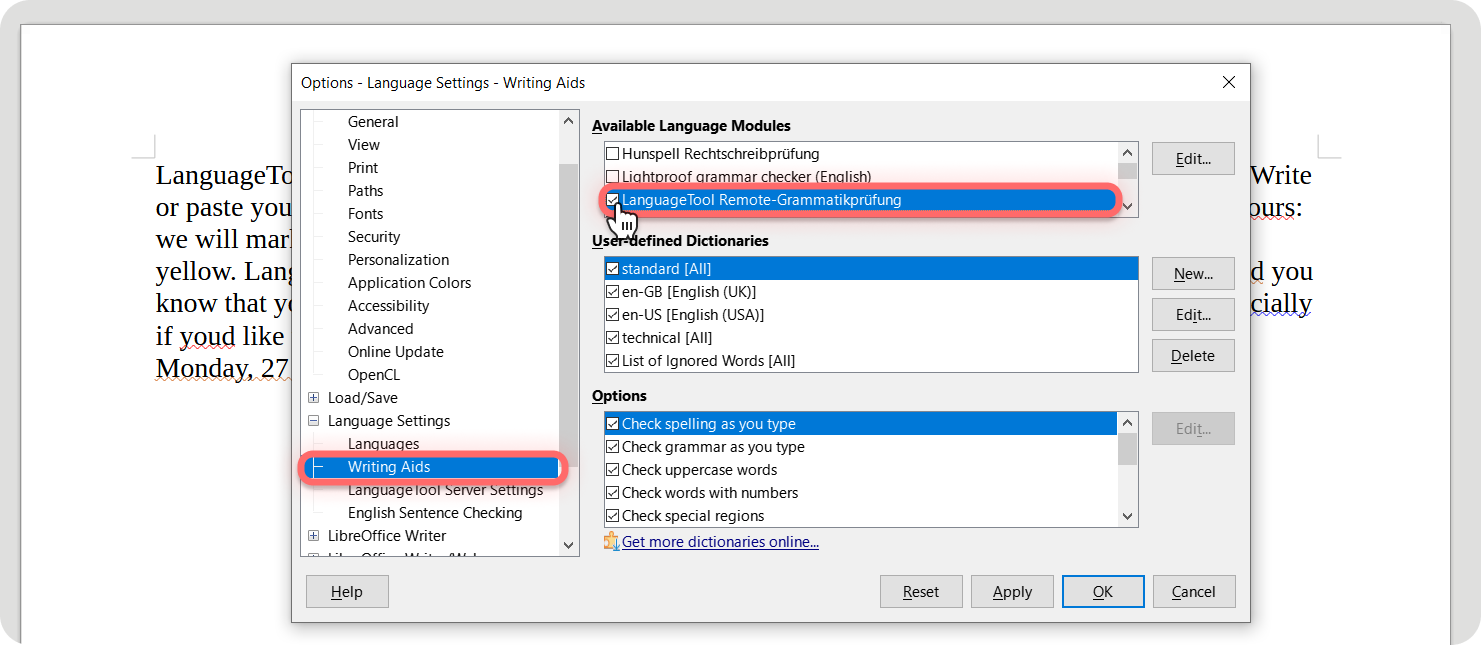
5. Enable LanguageTool under “Writing Aids.”
After enabling LanguageTool, please remember to disable “Lightproof” (which is also found under “Writing Aids”). Then, select all the languages you want checked.
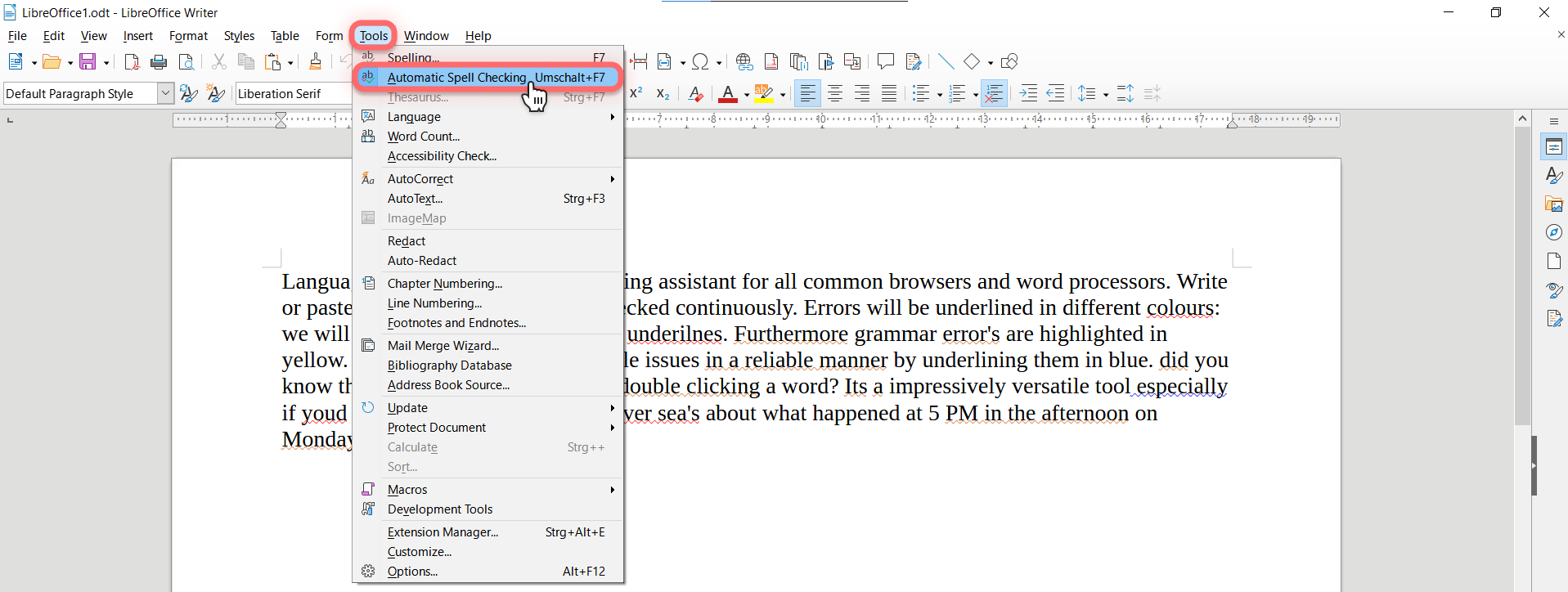
6. Activate the automatic spell checking and initiate checking.
And now your writing will be flawless!
Attention
This is just a connection between LanguageTool’s server and LibreOffice on your computer. That’s why you need a stable internet connection.
Both LanguageTool and LibreOffice are user-friendly and easily accessible. LibreOffice provides a program in which you can write, and LanguageTool helps ensure that what you write is immaculate.
Plus, if you select multiple languages, all texts are checked within the same page. Just make sure it’s a language supported by LanguageTool.
Lastly, both LanguageTool and LibreOffice have superior privacy policies that protect you and your data.
Below you can find more helpful links:
If you need additional information or have questions, please email [email protected]
At this point, we would like to thank the developers on behalf of LanguageTool for the development and contribution of the plug-in.
Credit to the Original Article | Explore More of Their Work If You Found This Article Enjoyable.
https://news.google.com/rss/articles/CBMiO2h0dHBzOi8vbGFuZ3VhZ2V0b29sLm9yZy9pbnNpZ2h0cy9wb3N0L3Byb2R1Y3QtbGlicmVvZmZpY2Uv0gE_aHR0cHM6Ly9sYW5ndWFnZXRvb2wub3JnL2luc2lnaHRzL3Bvc3QvcHJvZHVjdC1saWJyZW9mZmljZS9hbXAv?oc=5&hl=en-US&gl=US&ceid=US:en