

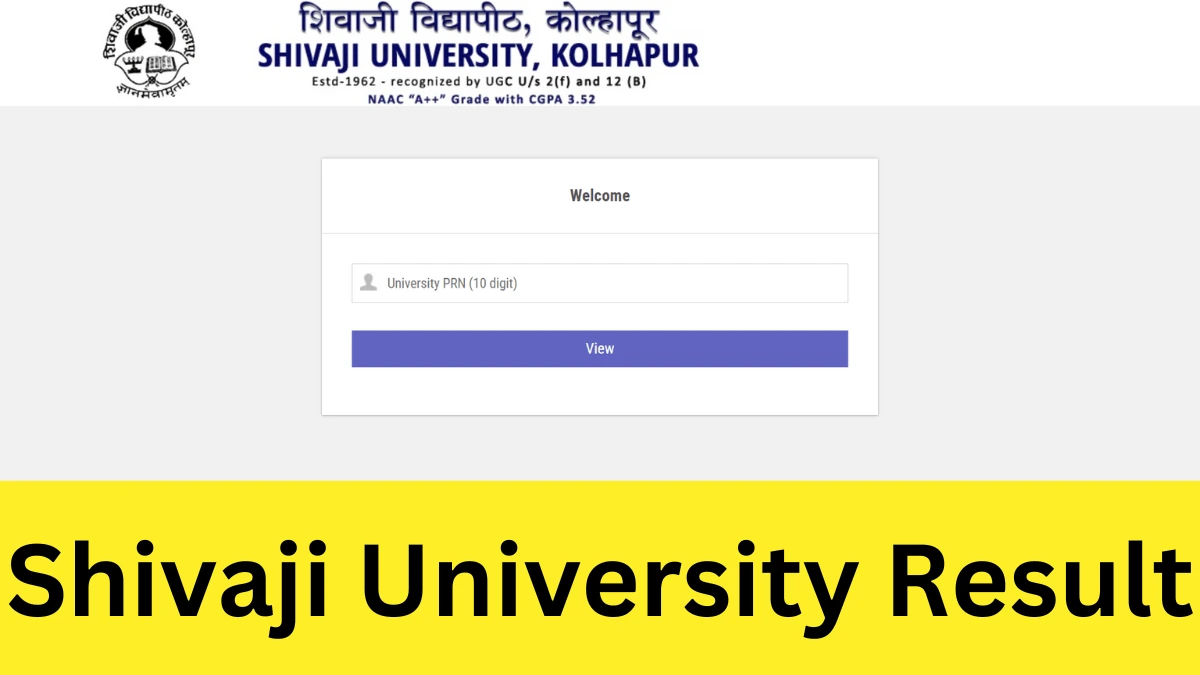

Shivaji University Kolhapur has released the SUK results for various undergraduate and postgraduate courses including BA, BCom, BSc, BBA, BCA, MA, MSc, and MCom. All students who participated in the semester exams held by the university can access and download the Shivaji University result scorecard online by going to the official website: sukapps.unishivaji.ac.in/online_portal or via the direct link provided below in the article.
Shivaji University Results 2024
Shivaji University is a leading institution among the students in the state of Maharashtra. Recently, Shivaji University Kolhapur (SUK) announced the results for the semester exams 2024 for all the courses. The Shivaji University result 2024 has been issued in the form of an online marksheet that is valid until students obtain their original marksheet from their college. To access the University of SUK results for 2024, students need to enter their PNR number.
Shivaji University Result: Overview
The Shivaji University, situated in Kolhapur, Maharashtra, is named after Shivaji I, who ruled as the first Maratha Chhatrapati from 1674 to 1680. The University is acknowledged by the University Grants Commission (UGC).
The University was founded in 1962 by Sarvepalli Radhakrishnan, who was the president of India at that time. This University provides classes in different departments such as the faculty of arts, faculty of science, faculty of management, and faculty of education. Check the overview of the Shivaji University results here
| Particulars | Details |
| Name of the Exam | Shivaji University Semester Exam |
| Academic Year | 2024-25 |
| Held by | Shivaji University Kolhapur (SUK) |
| Category | Result |
| SUK Result 2024 Status | OUT |
| Applicable Courses | Various UG and PG Courses |
| SUK Result 2024-25 Date | January 2025 (latest results) |
| Result Mode | Online |
| Official Website | sukapps.unishivaji.ac.in/online_portal |
SUK Result Download Link
The Shivaji University Kolhapur has issued the online scorecard for both regular and supplementary exam (back papers). Students can easily obtain their online marksheet via the direct link shared below. Make sure that you have your PRN number with yourself to check your result.
Download Shivaji University Result 2024-25 Semester-wise
How to Find Shivaji University Results 2025 PNR Number
The PNR number for a student at Shivaji University is a unique identification number used for various academic and administrative purposes. If you’re looking for your PNR number, follow these steps:
Check Your Admission Letter
The PNR number is often mentioned on your admission confirmation letter or any official document you received during the admission process.
Login to the Student Portal
Visit the official Shivaji University website: www.unishivaji.ac.in
Log in using your credentials (like your application number or registered email ID).
Navigate to your profile or academic section to find your PNR number.
Refer to Your College ID Card
If you are already enrolled, your college ID card issued by Shivaji University or its affiliated colleges usually has the PNR number printed on it.
Contact the University/College Office
Reach out to the Student Section of Shivaji University or your affiliated college.
Provide them with your basic details (e.g., name, course, year of admission) to retrieve your PNR number.
Check Examination Hall Ticket
The PNR number may also be mentioned on your exam hall ticket or any related examination document.
Email or Call Support
For further assistance, email or call the university’s helpline:
Email: registrar@unishivaji.ac.in
Phone: Available on their official website.
Shivaji University Result 2024 Date
The Shivaji University announces the semester exam result around two months after the conclusion of the exam. Currently, the results for the October-November 2024 exams has been announced. Generally, the results are issued across multiple days, one by one for each course or exam. The exact date of the SUK result is always mentioned on the SUK marksheet.
Details Mentioned in Shivaji University Result 2025
The online scorecard of the Shivaji University has been issued in the form of an online scorecard. The online marksheet contains many crucial details regarding the performance of students in the exam. The online scorecard also consists of many personal details that students should check for its accuracy. Some important details given in the online scorecard of the Shivaji University Kolhapur has been listed below.
- Name of the student
- Parent’s name
- Roll number
- Registration number / Enrolment number
- Course name
- Exam Semester and Year
- Course Name with codes
- Subject-wise marks obtained
- Total marks obtained
- Maximum marks in the exam
- Overall CGPA / Grade Point obtained
- Result Status
How to Download unishivaji Result
Students can view their semester or annual results for different UG and PG programs online at the university’s official website. Adhere to the steps listed below to learn how to verify the Shivaji Result 2024.
Step 1: Go to the official internet website – sukapps.unishivaji.ac.in/online_portal.
Step 2: On the home page, select the ‘Student Portal’ section.
Step 3: Press the ‘Examination Portal’ that will be found in the new tab opened.
Step 4: Press on the ‘Online Statement of Marks’ link in the new page that opens.
Step 4: You will be redirected to the result login page. Input your PNR Number in the provided space.
Step 5: After entering the 10-digit PRN number, click on “View” button.
Step 6: The SUK result for that particular semester will appear on the display.
Step 7: Save the scorecard or print it out for later use.
What After Shivaji University Results 2024?
After the Shivaji University Results 2024-2025 are announced, students can take the following steps depending on their results and future plans:
For Students Who Have Passed:
Collect Marksheet: Visit your respective college for original marksheet. meanwhile, download the online mark sheet from the university portal.
Apply for Further Studies: Based on your course and interest, apply for postgraduate programs, professional courses, or competitive exams. Check eligibility for programs like MBA, M.Tech, M.Sc., MA, or other advanced degrees.
Career Opportunities: Update your resume and apply for jobs or internships in your field of study. Explore government exams or private-sector opportunities.
Document Verification: If applying for higher studies or jobs, keep your documents (mark sheets, degree certificate, etc.) ready and verified.
Attend Convocation (if final year): Register for the convocation ceremony to receive your degree.
For Students Who Have Failed:
Re-evaluation or Rechecking: Apply for re-evaluation or rechecking of your answer sheets if you believe there’s an error in the results.
Supplementary Exams: Register for supplementary exams conducted by the university to improve your grades.
Seek Guidance: Discuss your options with mentors or academic counselors to plan a better strategy.
General Steps for All Students:
Stay Updated: Check the official Shivaji University website or your college notice board for announcements related to convocation, supplementary exams, or further admission deadlines.
Skill Development: Join certification courses, workshops, or online programs to enhance your skills while planning for the next phase.
Credit to the Original Article | Explore More of Their Work If You Found This Article Enjoyable.
https://www.adda247.com/school/shivaji-university-result/


